Standing Orders (Auto-Deploy)
As your empire grows, moving every ship by hand becomes a chore — and reinforcements that sit idle in a rear-area garrison are reinforcements wasted. Standing orders, set up through Auto-deploy, automate the flow of ships so your fresh production marches to the front on its own.
What a standing order does
A standing order says, in effect:
"Keep N ships garrisoned at this star. Whenever this star produces ships or receives a friendly fleet, send everything above N onward to that destination."
So you nominate an origin star, a destination star, and a garrison to keep behind. From then on, any surplus over the garrison automatically launches toward the destination — without you lifting a finger.
This turns a productive rear star into a supply pump: its factories build ships, the standing order forwards the surplus toward the fighting, and your front line is continuously reinforced.
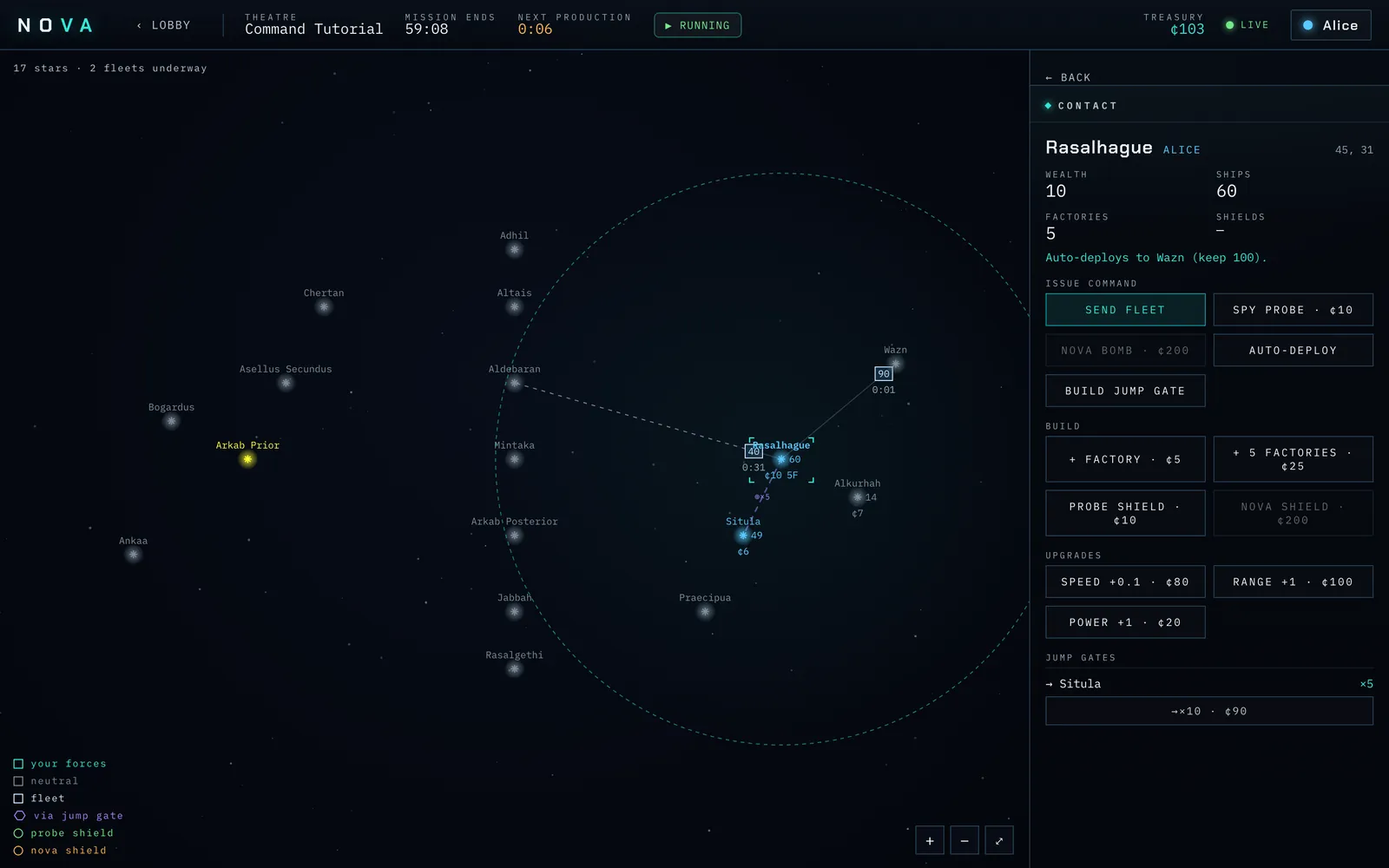
Screenshot: a star with an "Auto-deploys to
Setting one up
- Select the origin star (one of yours).
- Choose Auto-deploy.
- Pick the destination by clicking or tapping a star.
- Set the garrison to keep at the origin — the number of ships that should always stay behind to defend it. (Nova suggests about half the current garrison; adjust to taste.)
- Confirm with Set auto-deploy.
From that moment, whenever the origin produces ships or a friendly fleet lands there, any ships beyond the garrison are dispatched to the destination automatically. The ships route through your territory just like a fleet you send by hand, so the destination can be well beyond a single jump.
When orders fire
A standing order acts at three moments:
- The moment you set it — if the origin already holds more ships than the garrison, that surplus launches for the destination right away, so you don't have to wait for the next production cycle to get the flow started.
- After a production cycle at the origin (its factories have just added ships), and
- When a friendly fleet arrives at the origin (for example, ships forwarded from a star further back).
Each time, it checks the garrison and forwards the surplus. Chain several together — star A feeds star B, which feeds the front — and ships flow across your empire toward the fight on their own.
When orders are cancelled
A standing order is automatically removed when the situation that made it sensible no longer holds:
- the origin or destination is lost in a battle you did not win, or
- the origin or destination is destroyed by a nova bomb.
If that happens, set up a fresh order once the front has stabilised.
Managing your orders
All your active standing orders are listed in the Auto-deploy panel of the HUD, each showing origin -> destination and the keep N garrison. To cancel one manually, use the clear link on its row. The Contact panel also notes when a selected star has a standing order attached.
Tip: A classic setup is to point your safe, factory-heavy home star at a forward staging star near the front, keeping a healthy home garrison. Your capital then quietly feeds the war effort every cycle while you concentrate on tactics at the front.